Create with AI
🛠️ Tools You’ll Need
- chatgpt – https://chatgpt.com/
- Flow – https://labs.google/fx/tools/flow
Step 1: Generate the Image
Prompts
Image 1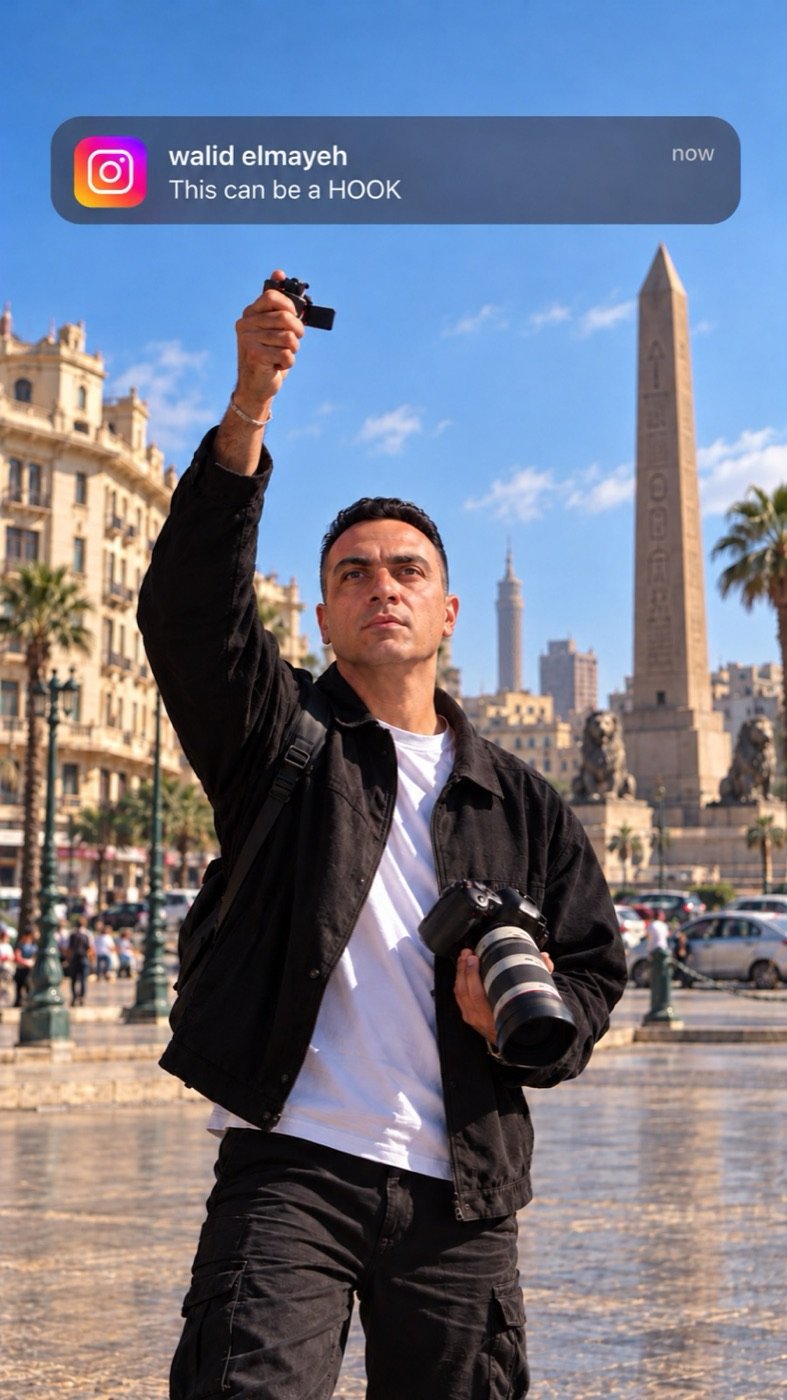
Use the uploaded reference photo as the exact identity reference. Preserve the person's real facial features, face shape, eyes, nose, lips, skin tone, hairstyle, hairline, and natural skin texture. The final image must clearly look like the same person in the uploaded photo.
Create an ultra-realistic professional street photograph of the person standing in a public square in downtown Cairo, Egypt, with historic Egyptian buildings, a tall stone obelisk, lion statues, palm trees, pedestrians, and cars in the background under a clear blue sky.
The person wears a black casual jacket over a plain white T-shirt, black cargo pants, and black sneakers. He holds a professional DSLR camera with a large telephoto lens in one hand and raises his other hand above shoulder level, holding a small black camera accessory. His gaze is directed slightly upward toward his raised hand, with a natural, focused expression.
At the top of the image, add a single realistic Instagram notification banner with a translucent dark navy-gray background, rounded corners, and the Instagram gradient icon on the left. Display this exact text clearly in white sans-serif typography:
**walid elmayeh**
This can be a HOOK
now
The profile name must be bold, the message underneath, and “now” aligned to the right. Keep the entire notification legible and unobstructed.
**Camera:** Vertical 9:16, 1080 × 1920, full-body composition, medium-wide framing, eye-level camera with a slightly low cinematic perspective, realistic 35mm lens, natural proportions, and enough blue sky above the person for the notification.
**Lighting:** Bright natural daylight, realistic shadows, authentic skin tones, professional photography, detailed clothing textures, subtle depth of field, and a realistic Cairo atmosphere.
**Strict rules:** Preserve the person's identity. Do not copy the original background. Do not add glasses, hats, or facial hair unless present in the reference. No distorted hands, extra fingers, duplicate limbs, artificial skin, extra text, extra notifications, watermarks, or unrelated Instagram interface elements.
**Final result:** One highly photorealistic vertical 9:16 image that looks like a real professional photograph taken in Cairo, with the person holding a camera and the Instagram notification at the top.
Step 2: Animate the flow
- Go to flow – https://labs.google/fx/tools/flow
- Select Video (or Frames to Video if available).
- Upload the image generated in Step 1
Then paste a prompt describing the animation.
Example Prompt
I want the man in the first image to look directly at the camera, then open the lighter and ignite it. The flame should catch the Instagram notification message and set it on fire.
- Click Generate .