ستوري الكافيه بتاعك بتطير من إنستجرام وتنزل على الترابيزة وتتحول لأكل حقيقي. هتعملها في 3 خطوات بس 👇
🛠️ هتحتاج أداتين
- ChatGPT ← chatgpt.com (علشان تعمل الصور)
- Google Flow ← labs.google/fx/tools/flow (علشان تعمل الفيديو)
💡 قبل ما تبدأ
- هتعمل صورتين، وبعدهم فيديو.
- البرومبتات بالإنجليزي، سيبها زي ما هي. دوس «انسخ البرومت» وهي تتنسخ لوحدها.
- غيّر اسم الكافيه HAIL CAFE وهيل وأسماء الأكل (Latte, Croissant…) لاسم مكانك وأكلك.
1️⃣ الخطوة الأولى: الصورة الأولى (الترابيزة فاضية)
- افتح ChatGPT واعمل محادثة جديدة (New chat).
- انسخ البرومت اللي تحت والزقه.
- غيّر اسم الكافيه والأكل، وابعت.
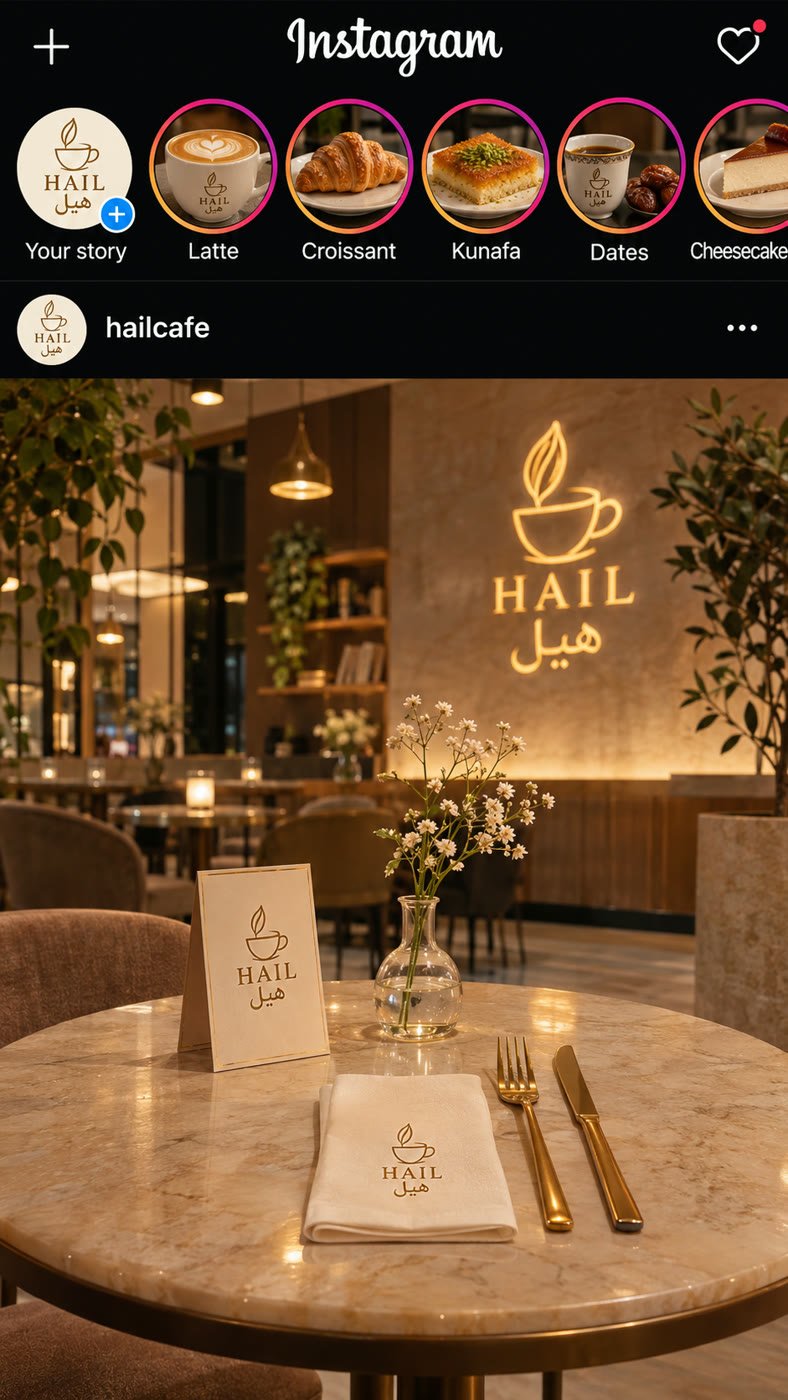
Create a photorealistic vertical 9:16 image that looks exactly like an iPhone screenshot of the Instagram home feed in dark mode.
TOP BAR: “+” icon on the left, the “Instagram” wordmark in the center, a heart icon with a small red dot on the right.
STORIES ROW: The first circle is the café logo with a small “+” badge and the label “Your story”. Then 5 story circles with the colorful Instagram ring. Each one is a close-up photo of a menu item with a short white label under it: “Latte”, “Croissant”, “Kunafa”, “Dates”, “Cheesecake”. The 5th circle is partly cut off by the right edge of the screen.
POST HEADER: a small round logo picture and the username “hailcafe”.
POST PHOTO: a warm, cozy, modern café at golden hour. In front, a round marble table that is completely EMPTY of food. On the table: a small table card with the café logo, a folded napkin with the logo, a gold fork and knife, and a small vase with white flowers. The café logo glows on the wall in the background.
CAFÉ NAME: “HAIL CAFE”, Arabic name “هيل”. Simple gold line logo of a coffee cup. Colors: cream, warm gold, soft brown.
Style: ultra realistic, warm light, clear readable text, spell every word exactly as written, no extra text, no watermark.
👇 هيطلع لك حاجة شبه كده
2️⃣ الخطوة التانية: الصورة التانية (الأكل على الترابيزة)
- خليك في نفس المحادثة في ChatGPT.
- انسخ البرومت اللي تحت والزقه.
- استخدم نفس أسماء الأكل اللي في الصورة الأولى، وابعت.
- نزّل الصورتين على موبايلك أو الكمبيوتر.
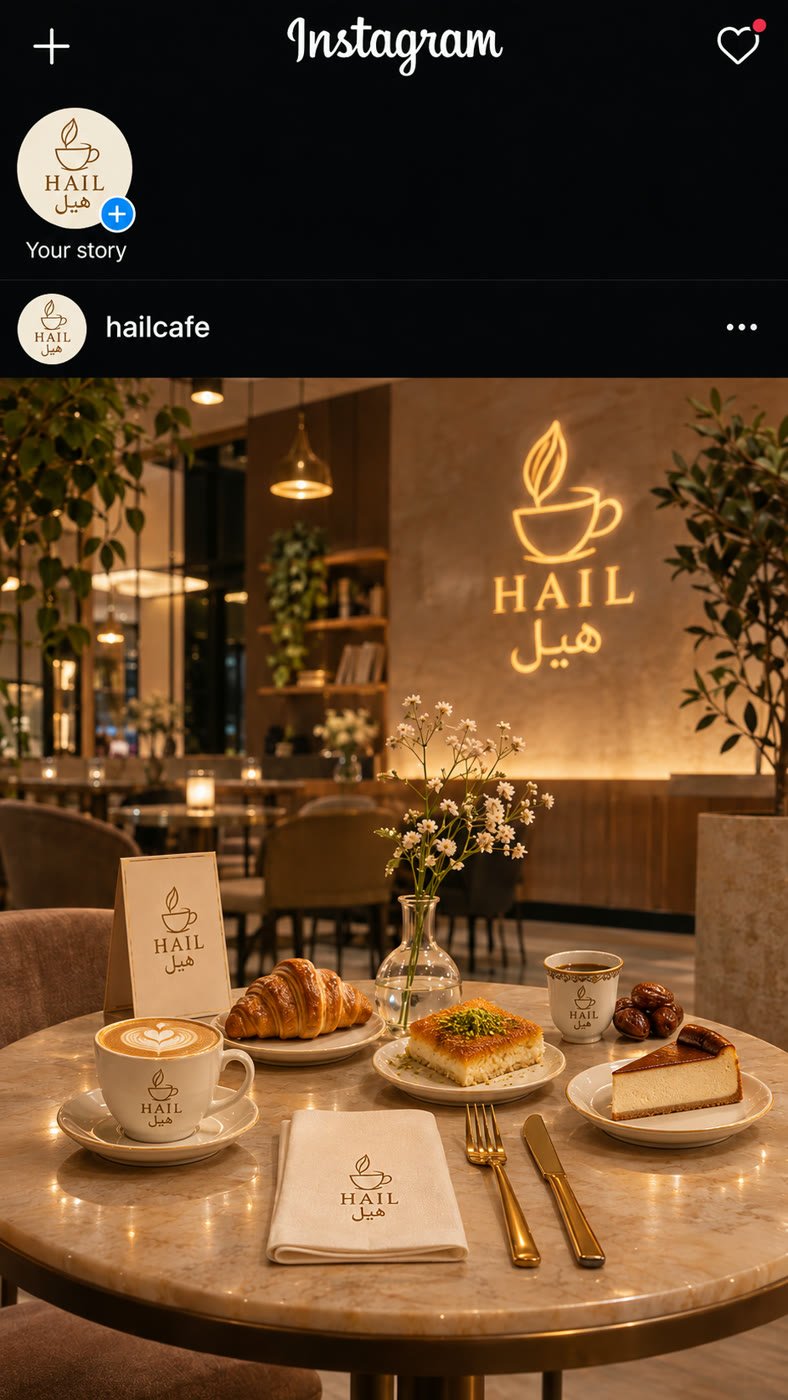
Use the image you just created. Make the exact same Instagram screenshot: same layout, same top bar, same café, same camera angle, same light, same table.
Change only two things:
1. STORIES ROW: remove the 5 menu-item circles. Only the “Your story” logo circle stays.
2. POST PHOTO: all 5 items from the stories are now on the marble table as real food, nicely arranged: the latte, the croissant, the kunafa, the coffee cup with dates, and the cheesecake. Natural shadows on the marble.
Keep everything else the same. Vertical 9:16.
👇 هيطلع لك حاجة شبه كده
3️⃣ الخطوة التالتة: الفيديو (Google Flow)
- افتح Google Flow واعمل مشروع جديد (New project).
- من الإعدادات اختار Video وبعدها Frames.
- اختار المقاس 9:16 والمدة 10 ثواني.
- دوس على Start وحط الصورة الأولى.
- دوس على End وحط الصورة التانية.
- انسخ البرومت اللي تحت والزقه، ودوس على السهم علشان يبدأ.
The camera does not move. This is a phone screenshot of the Instagram feed.
One by one, from left to right, each story circle pops out of the stories row, flies down in a smooth curve into the post photo, and lands on the marble table. When it lands, it turns into the real food shown in it.
When a circle leaves, the row slides left to fill the gap. Each item lands softly with a natural shadow.
Everything else stays still. Realistic, smooth motion, warm light. No people, no hands, no extra text.
⏳ استنى دقيقة أو اتنين، والفيديو هيبقى جاهز 🎉
لو النتيجة ما عجبتكش، دوس على السهم تاني. كل مرة بتطلع مختلفة شوية.