المرحلة الأولى: إعداد الصور المرجعية (Nano Banana 2)
ضيف صورتك الشخصية ، ولازم تكون ملامح الوجه واضحة جداً وقريبة (Close-up). بعد كدة، انسخ الكود اللي تحت ده وحطه في أداة Nano Banana 2
|
الصوره الشخصية |
البرومت |
الاداة المستخدمة |
|
|
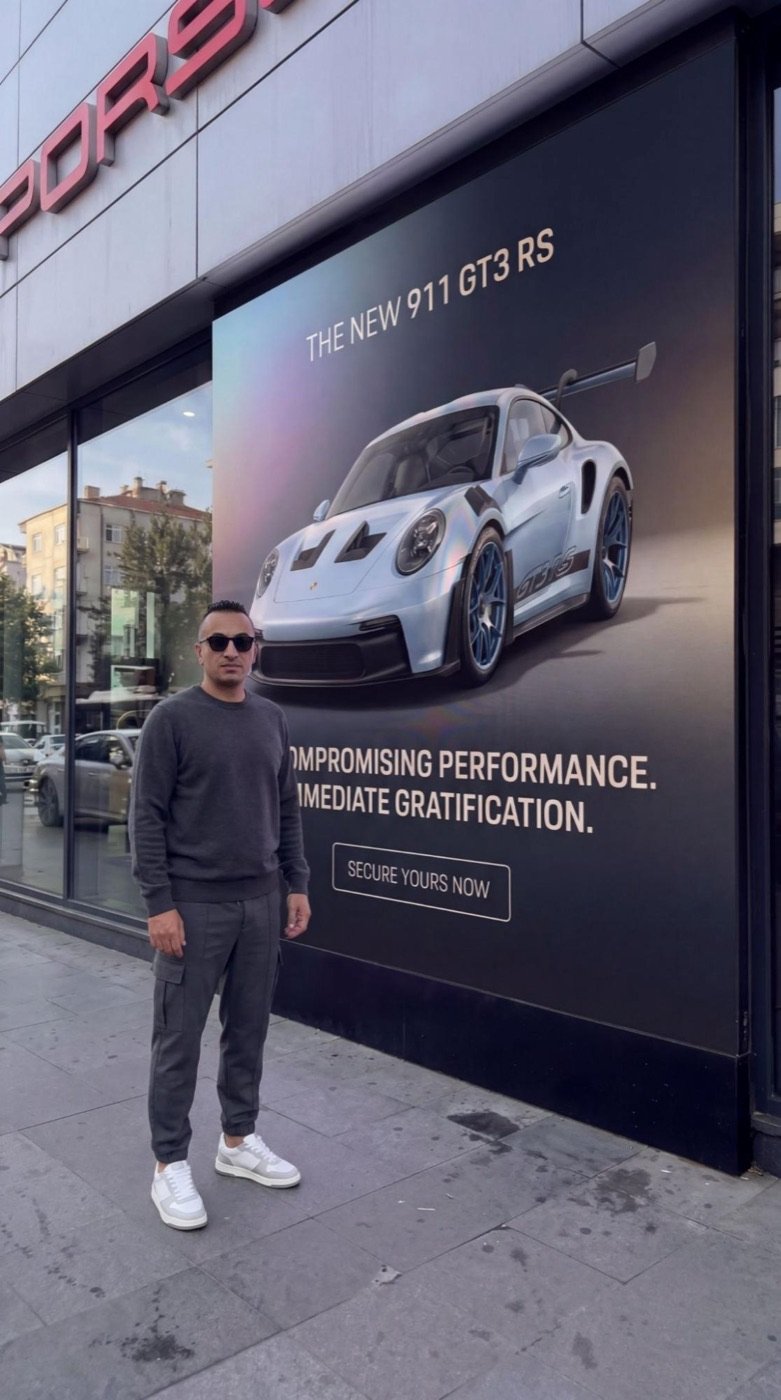
Ultra realistic street photo of a Porsche dealership storefront in a modern European city. The building facade is metallic with a red PORSCHE logo at the top and a large glass display window on the left reflecting the street and parked cars. Mounted on the dealership wall is a massive printed advertising poster for the Porsche 911 GT3 RS. The poster shows a white Porsche GT3 RS in a front three-quarter angle with blue wheels, positioned in the upper part of the poster against a dark blue to purple gradient background. At the top of the poster the headline reads: "THE NEW 911 GT3 RS" Below the car appears the campaign tagline: "COMOMPROISING PERFORMANCE. IMMEDIATE GRATIFICATION." At the bottom there is a minimal rectangular call-to-action button reading: "SECURE YOURS NOW" The poster surface looks like real printed vinyl with subtle reflections and slight texture. The photo is captured from the pavement with a slightly low angle perspective using a smartphone camera similar to an iPhone 17 Pro with a 26mm lens. Natural daylight lighting, authentic storefront shadows, realistic street reflections in the window, subtle HDR, very light sensor grain and slight handheld realism. The final result must look like a genuine street photograph of a Porsche dealership with a large GT3 RS campaign poster mounted on the wall. |
Nano Banana 2 |

Step 2
After creating the main image, reference the main image and enter the vehicle ramp prompt, then place the vehicle ramp.
“Add a wheeled mechanical vehicle ramp right in front of the Porsche on the screen, positioned in a way that it covers both front wheels and stands based on the poster, and let the Porsche in the poster appear as if it is about to be lowered to the ground from there, extending downward at an angle toward the ground directly in front of it and stretching out to the left side beyond the frame, and let the man stand next to the ramp looking at the camera, preserve the color and texture in the photo.”
Step 3
Reference the main image again and remove yourself from the photo.
“Remove the person from the photo and preserve the photo’s texture and colors.”
Step 4
Now reference the image with the ramp and enter the prompt below to create the photo of the vehicle in the wide open area at a distance.
”Remove the Porsche inside the poster and leave that area empty, but keep the rest of the poster, its background, and all the text exactly the same. The photo should be a wide shot from a distance of a real street in front of a Porsche store. The Porsche GT3 RS from the poster becomes real while preserving its color and is now parked in the middle of the wide square in front of the real Porsche store, visible from a front three quarter angle facing the camera. The real Porsche store in the background appears slightly blurred in the distance. The man is standing next to the driver’s door of the Porsche. Preserve the color and texture in the photo.”
Now we will create the videos using Kling 3
Place the first and last images into the Start and End frames and enter the prompts below for the scenes
First Scene
The person’s first arrival and entering the frame, looking at the poster
“Handheld shaky camera, the man walks in naturally and in a cool way from the front right side into the frame, turns and looks at the Porsche poster on the wall and then turns and looks at the camera, add real handheld vibe, calm street ambient”
Second Scene
The person exiting the frame and bringing the ramp
“Handheld shaky camera, the man moves toward the left side directly in front of the poster and exits the frame, then pulls a wheeled vehicle ramp from outside the frame and leans it against the Porsche poster, steps aside and looks at the camera, add real handheld vibe”
Third Scene
The car coming to life and appearing in the square
“Handheld shaky camera, the man starts walking and the Porsche on the poster transforms into a real Porsche and comes out of the poster in a very natural and realistic way, drives down the ramp in front of it onto the ground and slowly follows the man, coming with him to the middle of the road and stopping, normal life flow around and people passing by, add real handheld vibe”
Fourth Scene
The man getting into the car and driving away
“Handheld shaky camera, the man in front of the Porsche turns around and naturally opens the driver’s door of the Porsche and gets inside, closes the door, starts the car and presses the gas, and exits the frame from the right side and disappears, add real handheld vibe”
Combine the videos you created by placing them back to back using CapCut 🙂
Enjoy the Prompts 🙂